
Best PS5 SSD in 2026: What Fits, What to Buy, and When a USB Drive Is Smarter
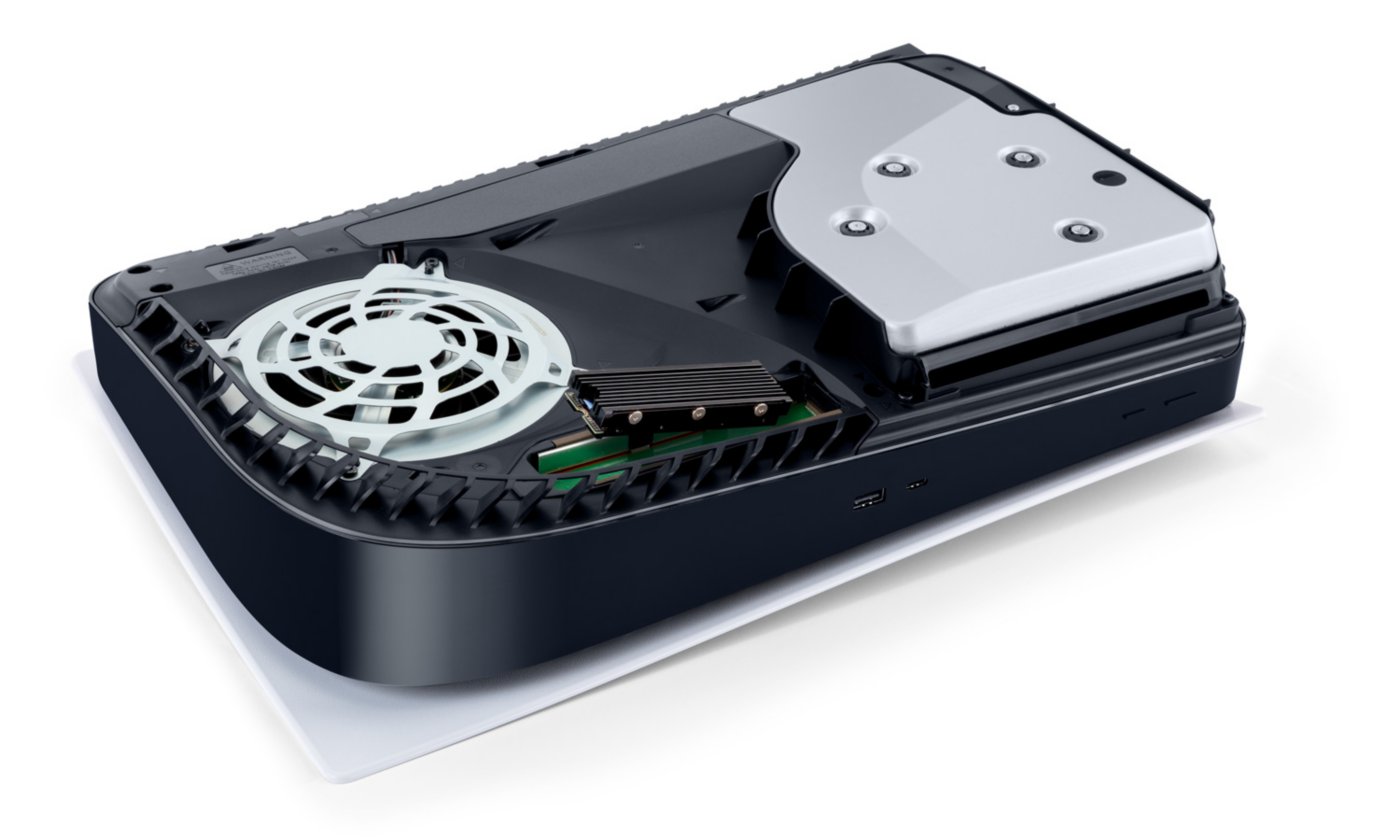
PressPS5 with an M.2 SSD installed in the expansion slot. Courtesy of Sony Interactive Entertainment, via PlayStation.com, used for editorial coverage.
Sooner or later every PS5 owner hits the same wall. A new game wants 150GB, the console says there is not enough space, and you start deciding which game to delete. There are two ways out, and in 2026 the choice matters more than it used to, because the memory shortage that pushed console prices up has roughly doubled what SSDs cost.
This guide covers exactly what fits in the PS5's expansion slot, which drives are worth buying, and when a far cheaper USB drive is the smarter fix.
How Much Space You Actually Have
- Original PS5: an 825GB SSD, of which about 667GB is usable after the system software.
- PS5 Slim: 1TB.
- PS5 Pro: 2TB.
Big releases now regularly pass 100GB each, so original-model owners feel the squeeze after just a handful of games. Slim and Pro owners get more breathing room, but not as much as it sounds once a few large games and their updates are installed.
Two Ways to Add Storage
| Internal M.2 SSD | USB External Drive | |
|---|---|---|
| Plays PS5 games | Yes | No, storage only |
| Plays PS4 games | Yes | Yes |
| Cost | Higher | Much lower |
| Installation | Remove a cover, one screw | Plug it in |
The rule that decides it for most people comes straight from Sony: PS5 games can be kept on a USB drive, but they must be copied back to internal storage to play. Copying a game back is far faster than downloading it again, so a USB drive works well as a parking lot for games you are not playing this month.
What the PS5's Expansion Slot Needs
Sony publishes exact requirements, and a drive that misses any of them either will not work or will not fit:
| Requirement | What Sony Specifies |
|---|---|
| Interface | PCIe Gen4 x4 M.2 NVMe (M key) |
| Speed | 5,500MB/s sequential read or faster |
| Capacity | 250GB to 8TB |
| Size | 2230, 2242, 2260, 2280, or 22110, up to 25mm wide |
| Thickness | Up to 11.25mm total, including any heatsink |
| Cooling | A heatsink or heat transfer sheet is required |
Two traps catch people:
- Gen5 drives are wasted money here. They work, but the PS5's slot runs at Gen4 speeds, so the extra cost buys nothing.
- Tall heatsinks do not fit. Many heatsinks sold for PCs exceed the 11.25mm limit. Either buy a drive sold with a PS5-specific heatsink, or a low-profile heatsink made for the PS5 slot.
Every PS5 model has the slot, including the Digital Edition, the Slim, and the Pro.
The Drives Worth Buying
1. Easiest: WD_BLACK SN850P for PS5
This is the drive officially licensed for the PS5, sold as storage expansion built specifically for the console. It ships with a heatsink designed for the PS5's slot already attached, reads at up to 7,300MB/s, and comes in 1TB, 2TB, and 4TB. If you want zero guesswork about compatibility, buy this and stop reading.
2. Fastest: Samsung 990 Pro with Heatsink
Reads at up to 7,450MB/s and consistently ranks at or near the top of PS5 SSD roundups from outlets like Tom's Hardware and GamesRadar. The one thing to get right is the version: buy the model with "with Heatsink" in the name, which Samsung sells specifically as PS5 compatible. It is also available in 2TB and 4TB.
3. Best value, if a screwdriver does not scare you: a bare drive plus a PS5 heatsink
Drives sold without a heatsink are often cheaper than the same drive with one attached. A WD Black SN850X paired with a separate low-profile PS5 heatsink performs the same as the bundled options. Check the heatsink's listed height against the 11.25mm limit before you buy.
The Cheap Fix: a USB Drive
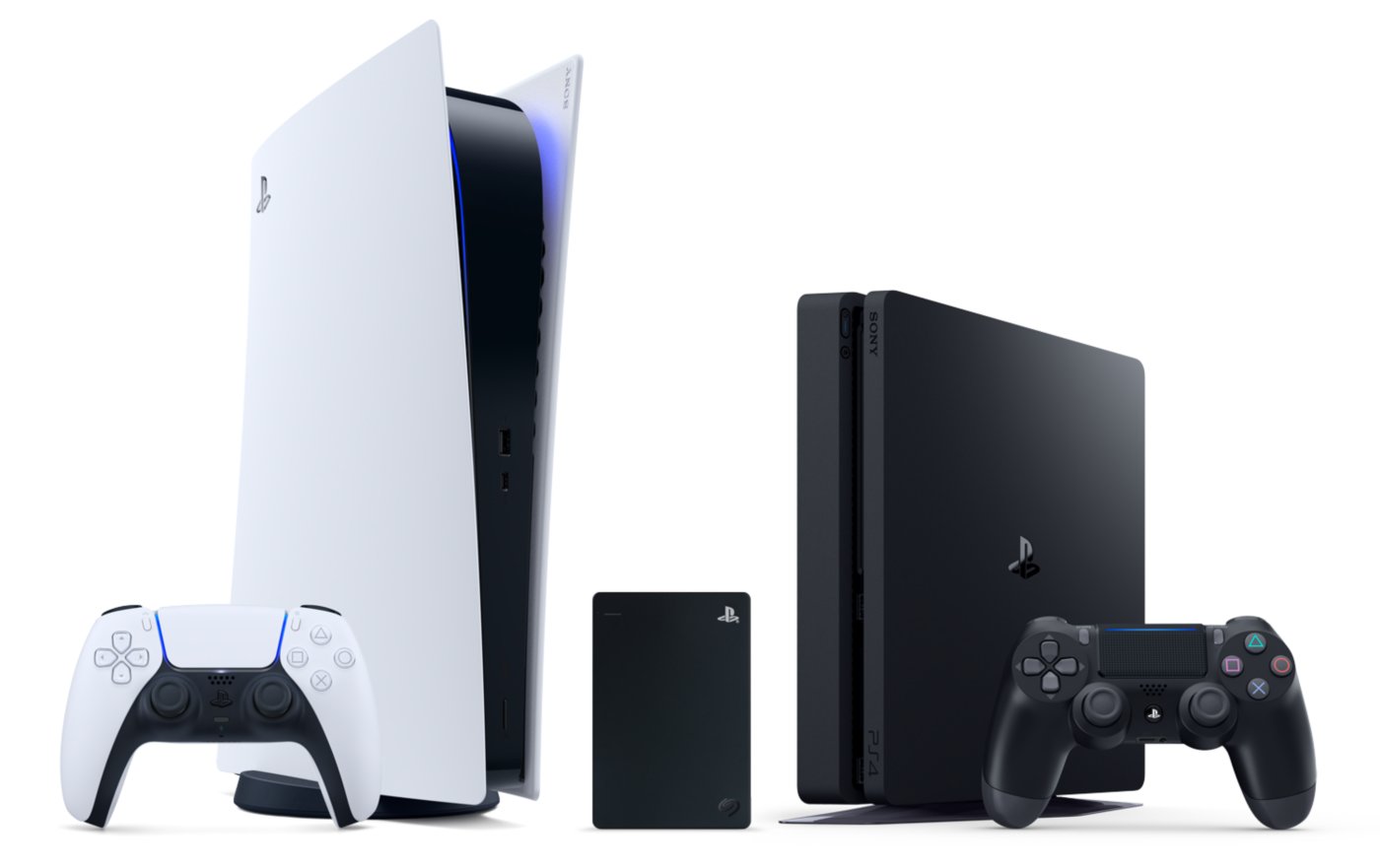
PressPS5 Digital Edition and PS4 with a Seagate Game Drive for PlayStation. Courtesy of Sony Interactive Entertainment, via PlayStation.com, used for editorial coverage.
If what you actually want is to stop deleting and redownloading games, a USB drive does most of the job for a fraction of the price. Sony's rules are simple: it must support SuperSpeed USB 5Gbps or faster, hold between 250GB and 8TB, and plug directly into the console rather than through a hub. Only one can be used at a time.
What it is good for:
- Your whole PS4 library, played directly from the drive.
- Parking PS5 games you are not playing right now. Copying a 100GB game back takes minutes, not the hour or more a fresh download can take.
A portable hard drive gives you the most space per dollar. An external SSD costs more but copies games back noticeably faster. The Seagate Game Drive for PlayStation is the PlayStation-branded option, though any USB 3 portable drive that meets the rules above will work.
What It Costs Right Now
This is the part that has changed most. NAND flash prices have roughly doubled since late 2025 as AI data centers absorbed memory supply, the same shortage behind this year's console price increases. A 2TB NVMe drive that cost $120 to $150 a year ago now commonly runs $300 to $480, and industry tracking does not expect meaningful relief before 2027.
We are not listing exact prices for each drive, because they are moving week to week and any number we print would be wrong soon. Instead:
- 2TB is the sweet spot for most people. Go to 4TB only if you keep a large library installed at once.
- Do not pay a Gen5 premium. The PS5 cannot use it.
- On a tight budget, start with USB storage and add an internal drive later. The two work together, so nothing is wasted.
- Price-check right before you buy. SSD pricing swings enough that a few days can matter.
Installing an Internal Drive
It takes about ten minutes and one Phillips screwdriver. Power the console fully off and unplug it, remove the cover, unscrew the expansion slot cover, insert the drive, secure it, and put everything back. The PS5 offers to format the new drive when you turn it on. The exact steps differ slightly between the original, Slim, and Pro, so follow Sony's storage guide for your model.
The Bottom Line
- Want it to just work: WD_BLACK SN850P, 2TB.
- Want the fastest: Samsung 990 Pro with Heatsink.
- On a budget: a USB drive now for PS4 games and parked PS5 games, an internal SSD later.
- Skip: Gen5 drives, tall PC heatsinks, and anything slower than 5,500MB/s.
→ Making room for GTA 6? Our GTA 6 console guide covers pre-loading and what else you need on November 19. Still deciding on a console? Our console buying guide covers every system at current prices. Filling that new drive? See how to never pay full price for a game.
Get the Weekly Drop
One email every Tuesday with the current console price board, the sales that are genuinely live, and the week's hardware news. No spam, unsubscribe any time.
We use your address only for the weekly email. See our privacy policy.
As an Amazon Associate, GamECLicKs.com earns from qualifying purchases. If you buy through links on this page, we may earn a small commission at no extra cost to you, and it helps keep the site running and free. Specifications reflect Sony and manufacturer documentation as of October 4, 2026. Always confirm compatibility and the final price at checkout.
← Back to the blog