
Xbox Series X|S: Which One to Buy, How Game Pass Works, and What to Add
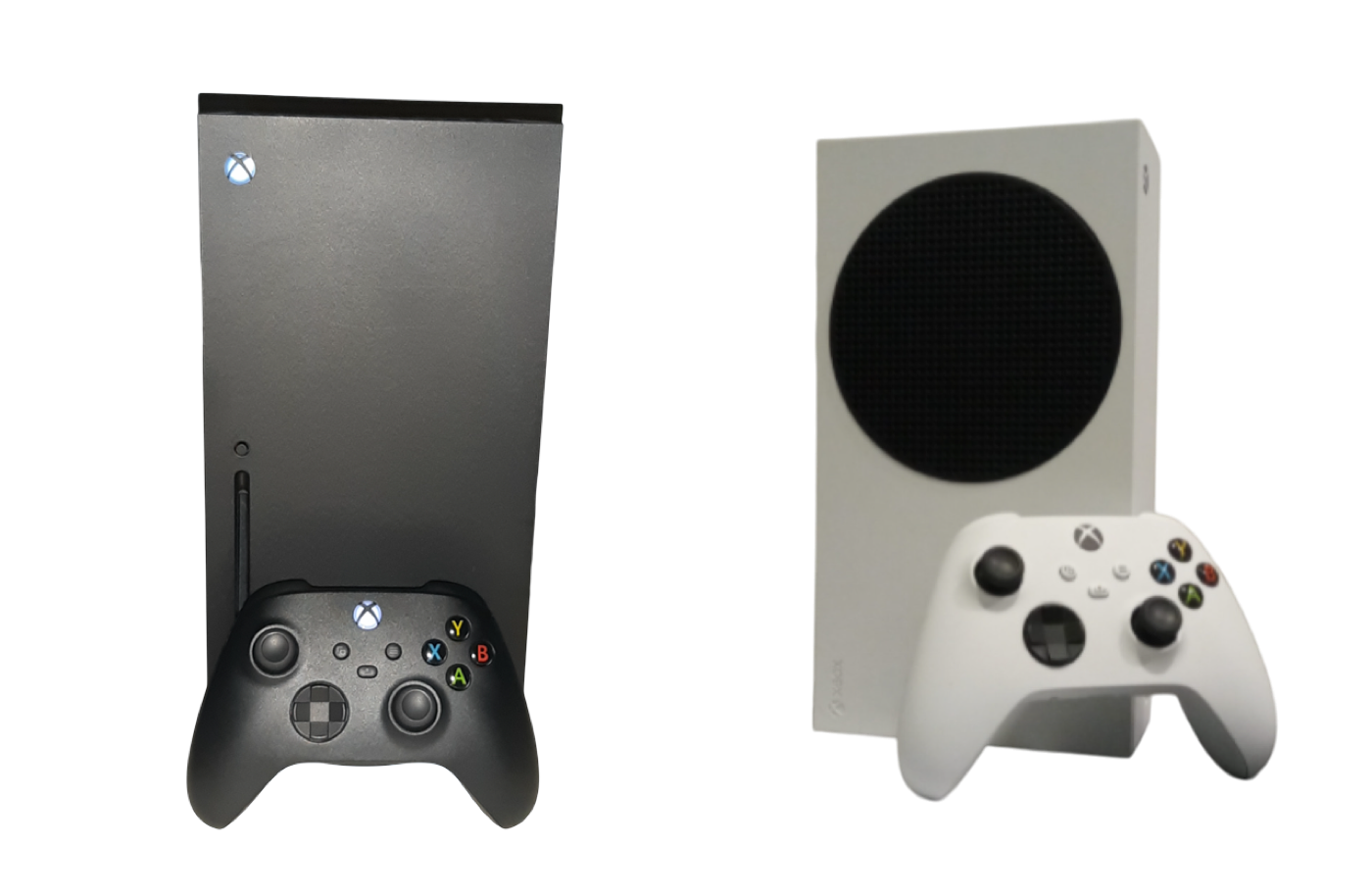
Xbox Series X and Series S, hardware photo. Credit: Newfiebluejay / L0Ldu82, Wikimedia Commons, CC BY 4.0.
Xbox had a rough 2026 on price. Microsoft raised every console on August 1, blaming memory and storage costs that more than doubled, and three weeks later Sony cut PlayStation prices. The result is that Xbox now costs more than PlayStation at every comparable tier. That does not make Xbox a bad choice. It means the reason to buy one has to be Game Pass and the Xbox ecosystem, not the hardware price. This page covers the lineup, the subscription, and the accessories, and we update it as things change.
Xbox Models and Prices
| Model | Price | Storage | Disc Drive | Target Resolution |
|---|---|---|---|---|
| Series S 512GB | $499.99 | 512GB | No | Up to 1440p |
| Series S 1TB | $599.99 | 1TB | No | Up to 1440p |
| Series X Digital | $749.99 | 1TB | No | 4K, up to 120fps |
| Series X | $799.99 | 1TB | Yes | 4K, up to 120fps |
US list prices since August 1, 2026, when 512GB models rose $100 and 1TB models rose $150. The 2TB Series X was discontinued. Our breakdown of the August price hike explains why.
Which Xbox Is Right for You
Skip the 512GB Series S. After system files, only about 364GB is usable, and big games regularly take 100GB or more each. It costs the same as a PS5 Digital Edition, which has twice the storage and far more power.
The Series S 1TB is the budget Xbox. It is small, quiet, and plays every current Xbox game, at lower resolutions than the Series X. It makes the most sense as a Game Pass machine for a second TV, a kid's room, or a player who cares more about the library than the graphics.
The Series X is the real Xbox experience. True 4K, faster performance, and the version of every game that looks the way the developers intended. Choose the Digital Edition at $749.99 if you buy everything through the Microsoft Store or play through Game Pass, and the disc model at $799.99 if you own physical Xbox games or plan to buy them.
An honest comparison: the PS5 Pro costs $749.99, the same as a Series X Digital. If you have no attachment to either ecosystem, our console buying guide lays out the tradeoffs.
Game Pass Is the Reason to Choose Xbox
Game Pass is a subscription library of hundreds of games, and its top tier includes new Microsoft games on the day they release. The detail that trips people up: only Game Pass Ultimate on console, and PC Game Pass on PC, get new first-party games on day one. The cheaper tiers add games to their libraries later, if at all. Online multiplayer in paid games also requires a Game Pass subscription, while free-to-play games like Fortnite do not.
That day-one access is what makes Ultimate worth it. A year with several major Microsoft releases, such as Gears of War: E-Day on October 6, can cost less on Ultimate than buying those games individually. Check current tier pricing on Xbox.com, and you can also buy Game Pass membership codes from retailers, which occasionally go on sale.
The Games Worth Playing
- Gears of War: E-Day: the series prequel launches October 6 with strong reviews already in, and it is included with Game Pass Ultimate on day one.
- Halo: Campaign Evolved: a full rebuild of the original Halo campaign, out since July 28. Our preview covers what changed.
- Forza Horizon 5: still one of the best looking open world games on any console, and a great first game for a new Xbox owner.
- Grand Theft Auto VI: launches November 19 on Series X and Series S. Our GTA 6 console guide explains why the Series S 512GB is a poor fit for it.
One thing to know before buying: Microsoft now releases many of its games on PlayStation too, including Halo and Forza Horizon 5. Xbox exclusivity matters less than it used to, which is another reason Game Pass, not the game list, is what sets Xbox apart.
Accessories That Actually Matter
1. A storage expansion card. This is the most important Xbox accessory, and the most misunderstood. Series X|S optimized games can only run from internal storage or a storage expansion card that plugs into the back of the console. A cheaper USB drive can park Series games you are not playing and run Xbox One and older games directly, so it works well alongside a card. Memory shortages have pushed storage prices up this year, so price-check before buying.
2. Rechargeable batteries. Xbox controllers still run on AA batteries out of the box. A Play and Charge Kit or a charging station pays for itself quickly.
3. A second controller. The standard Xbox Wireless Controller also works natively with Windows PCs, so it is never a wasted purchase. Competitive players should look at the Elite Series 2, with paddles and adjustable stick tension.
4. A headset. Microsoft's own Xbox Wireless Headset connects directly with no dongle. Many third-party Xbox headsets work well too. Check that the box says Xbox compatible, because wireless headsets made for PlayStation often are not.
Official Xbox Links
- Xbox.com: hardware, support, and account settings
- Xbox Game Pass: tiers and the current library
- Xbox sales and specials: current digital deals
- Xbox Wire: official announcements
Our Latest Xbox Coverage
- Gears of War: E-Day Lands October 6, and Your Game Pass Tier Matters
- The $799 Xbox Is Here: What the August 1 Price Hike Actually Changes
- Halo Is Back: Everything to Know Before Campaign Evolved
- Best Console for GTA 6: Which One to Buy Before November 19
→ Comparing systems? See our guides to PlayStation 5, Nintendo Switch 2, and PC gaming.
Get the Weekly Drop
One email every Tuesday with the current console price board, the sales that are genuinely live, and the week's hardware news. No spam, unsubscribe any time.
We use your address only for the weekly email. See our privacy policy.
As an Amazon Associate, GamECLicKs.com earns from qualifying purchases. If you buy through links on this page, we may earn a small commission at no extra cost to you, and it helps keep the site running and free. Prices are US list prices from Microsoft as of October 4, 2026. Always confirm the final price at checkout.
← All console guides